Welcome to easierscrape’s documentation!
Basic Usage
Install with pip: pip install easierscrape
Import needed methods from easierscrape as seen below:
from easierscrape import (
    parse_anchors,
    parse_files,
    parse_images,
    parse_lists,
    parse_tables,
    parse_text,
    print_tree,
    tree_gen,
)
Usage examples:
>>> parse_text("https://quotes.toscrape.com/login")
["Quotes to Scrape", "Quotes to Scrape", "Login", "Username", "Password", "Quotes by:", "GoodReads.com", "Made with", "❤", "by", "Scrapinghub",]

>>> print_tree(tree_gen("https://toscrape.com/", 1))
https://toscrape.com
├── http://books.toscrape.com
├── http://quotes.toscrape.com
├── http://quotes.toscrape.com/scroll
├── http://quotes.toscrape.com/js
├── http://quotes.toscrape.com/js-delayed
├── http://quotes.toscrape.com/tableful
├── http://quotes.toscrape.com/login
├── http://quotes.toscrape.com/search.aspx
└── http://quotes.toscrape.com/random"
Downloads
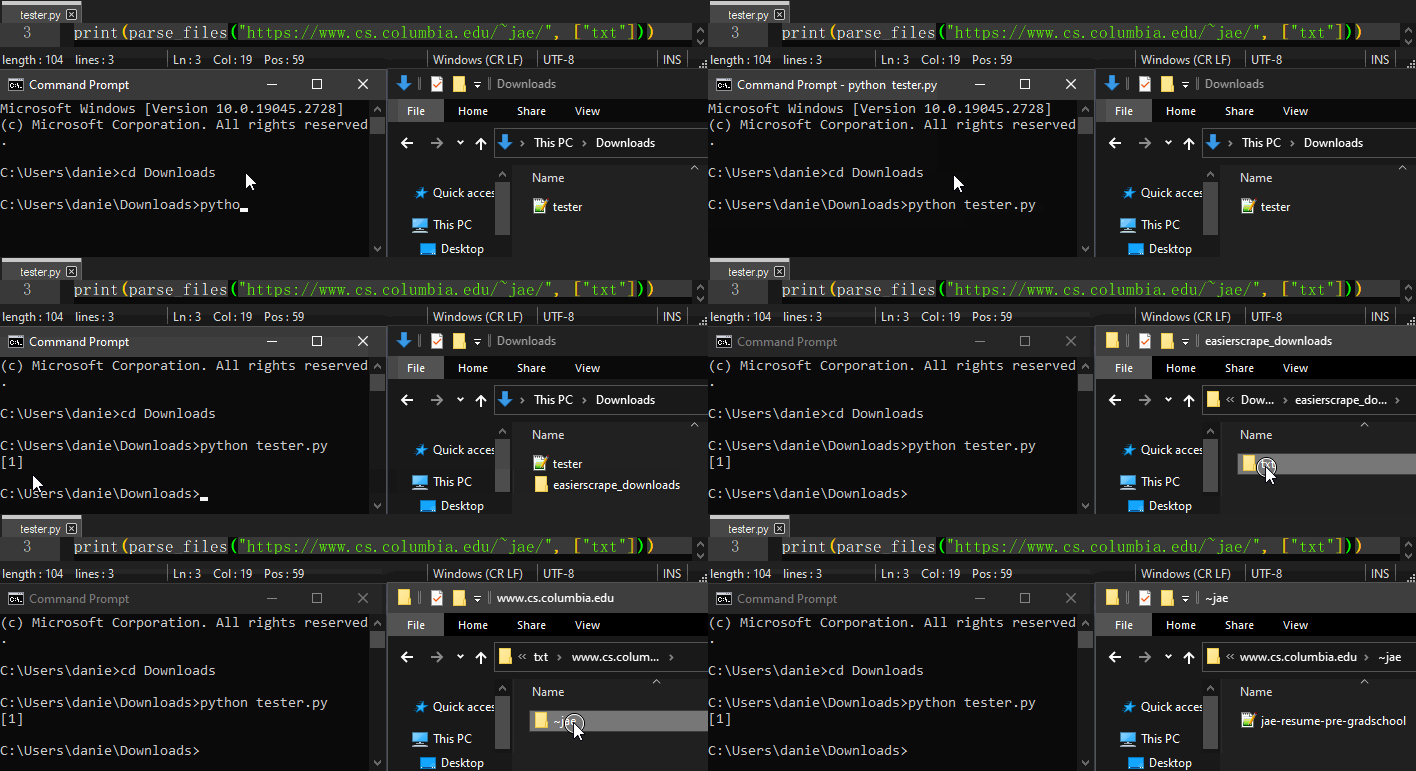
Using parse_files, parse_images, or parse_tables will result in an “easierscrape_downloads” directory being created in the working directory.
Usage example:
Command Line Usage
When installed, you can invoke easierscrape from the command-line to generate a hyperlink tree:
usage: easierscrape [-h] url depth

positional arguments:
  url         the url to scrape
  depth       the depth of the scrape tree

optional arguments:
  -h, --help  show this help message and exit
Usage example:
>>> easierscrape https://toscrape.com/ 1
https://toscrape.com
├── http://books.toscrape.com
├── http://quotes.toscrape.com
├── http://quotes.toscrape.com/scroll
├── http://quotes.toscrape.com/js
├── http://quotes.toscrape.com/js-delayed
├── http://quotes.toscrape.com/tableful
├── http://quotes.toscrape.com/login
├── http://quotes.toscrape.com/search.aspx
└── http://quotes.toscrape.com/random"
Contents